
How to set up a golf simulator in your garage
For many golfers, the garage is the one space at home with room to swing a driver. A golf simulator puts that space to use: a launch monitor reads each shot, a program simulates the shot’s flight on a range or course, and a projector shows it on a screen you hit the ball into.
Most garages can hold one if the ceiling over your swing is about 9 feet, a little less for shorter golfers. The rest is planning around the garage: a screen that rolls up so the door opens and the car still fits, a garage door opener moved out of your swing, and heat for the winter.
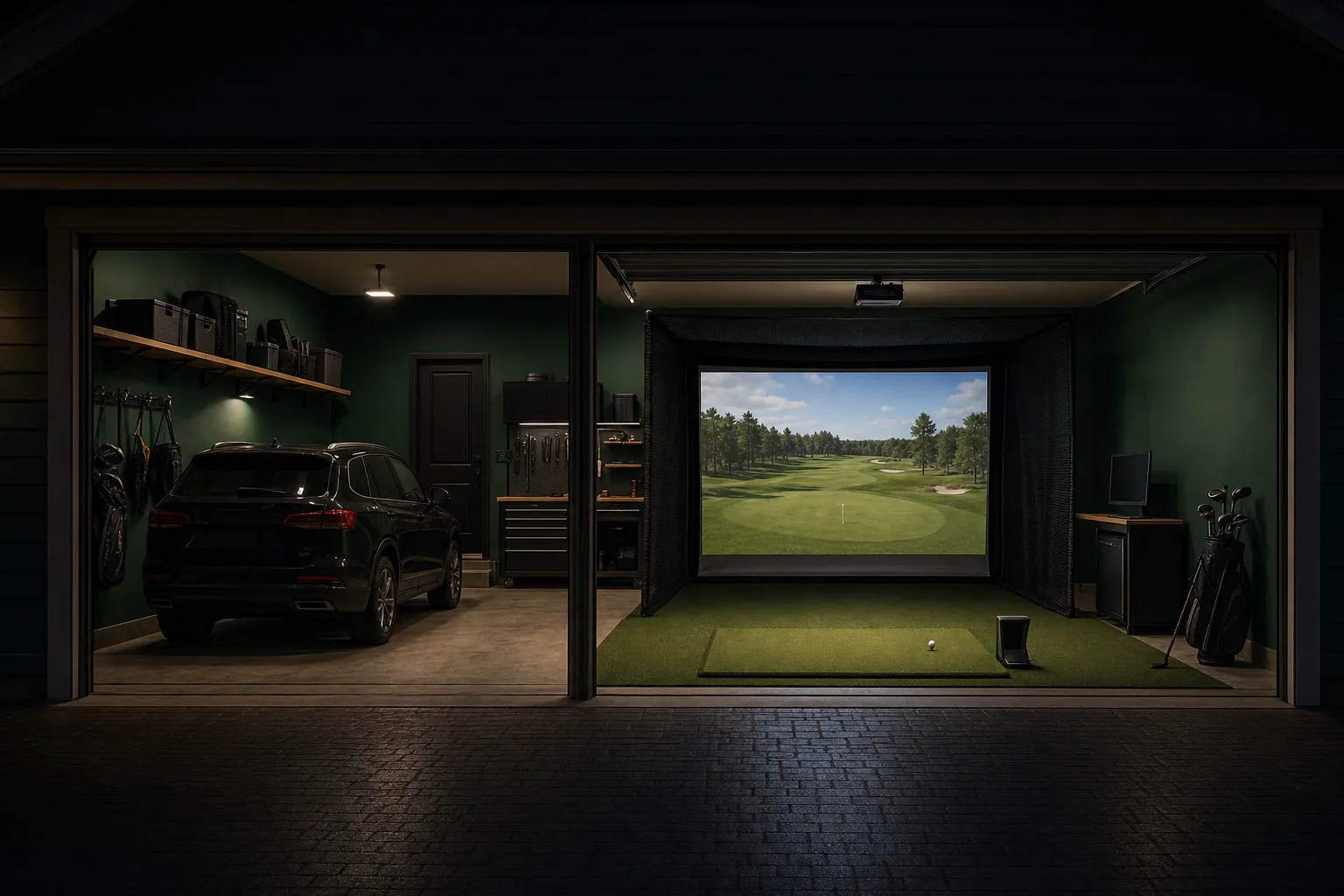
What a garage golf simulator is made of
A golf simulator is made of five parts:
- Launch monitor: reads each shot. It measures or calculates the ball's speed, launch angle and spin, and on many units the club's speed and path. Depending on the model, it sits behind you, beside the ball or on the ceiling.
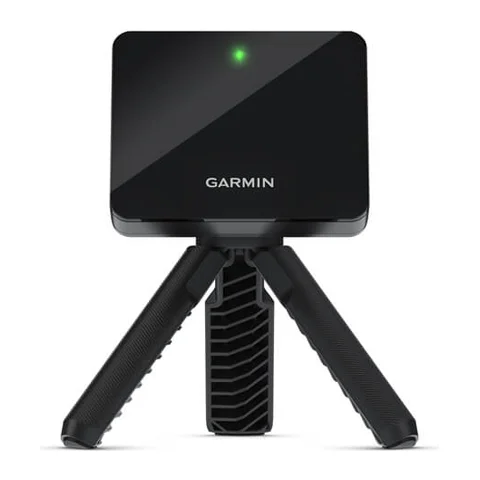
- Simulator software: a program that simulates each shot’s flight on a range or course. The GSPro simulator program runs on a Windows PC, and the E6 Connect program runs on a Windows PC or an iPad, so most setups need a computer or tablet near the hitting area. A few launch monitors, such as the Garmin R50, run a simulator on their own screen. Our GSPro guide covers what GSPro costs and the computer it needs.
- Projector and impact screen: the projector shows the course on the impact screen, a layered fabric screen you hit the ball into.
- Hitting mat: artificial turf on a foam base, laid on the concrete, that you hit from.
- Enclosure or side nets: a frame around the screen with side and top panels that catch shots that miss it.
What these parts cost, one by one and as a full setup, is in our golf simulator cost guide. To time the purchase, see when launch monitors go on sale.
How to set up a golf simulator in a garage, step by step
Setting up a garage simulator takes eight steps:
- Decide which way to hit, toward the garage door or toward the back wall. That decides where the screen hangs.
- Measure the ceiling, depth and width where you will hit.
- Clear the garage door and its opener from your swing and from the screen.
- Choose a launch monitor that fits your measurements: one that sits behind the ball, beside it or on the ceiling.
- Hang the impact screen or enclosure, one that rolls up or hoists away if a car parks in the garage.
- Mount the projector, and place the computer or tablet that runs the software.
- Lay the hitting mat on a level spot, and clear anything hard from around the screen.
- Plan heat for the winter months.
Which way to hit: toward the garage door or the back wall
Hit toward the door if a car parks in the garage or you want the back wall free; hit toward the back wall if the screen can stay up and the door can stay closed while you play.
Hitting toward the door is the usual layout in owner threads. The screen hangs just inside the closed door, from or under the door tracks, and you stand 6 to 10 feet back from it. Because the screen sits in the open door's path, it rolls up before the door opens. With a launch monitor beside the ball or on the ceiling, the back of the garage stays free for storage.
Hitting toward the back wall puts the screen on a solid wall, where it can stay up. You stand nearer the door, still under the opener rail. Owners who hit this way or toward a side wall mention daylight through the open door on the screen and the opener in their backswing.
How much ceiling, depth and width a garage needs
Three measurements decide whether a simulator fits:
- Ceiling height: room for the club at the top of your backswing and in your follow-through, so a taller golfer needs more. Most launch monitor makers ask for 9 feet, a few ask for up to 10 feet, and enclosure maker Carl's Place recommends 10 feet or more. Carl's Place gives 8 to 9 feet as the minimum, where your height, your swing and the club decide whether you can swing freely.
- Depth: the distance from the screen to the ball, plus room behind the ball for your backswing, plus the launch monitor if it sits behind you. Carl's Place gives 15 feet in all as a minimum (1 foot behind the screen, 10 feet from the screen to the ball and 4 feet behind the ball) and recommends 18 to 20 feet. Launch monitor makers put the ball 6 to 10 feet from the screen, and a radar launch monitor, which sits behind you, goes 4 to 12 feet behind the ball.
- Width: room for a full swing with space on both sides, plus the launch monitor if it sits beside the ball. Carl's Place asks for at least 10 feet wall to wall with the hitting spot off center, and 14 feet to center it so right- and left-handed golfers can both play.
A garage ceiling is at least the door height plus the door track's headroom, the wall space above the door opening that the track needs: 12 to 18 inches on a standard track. So a garage with a 7-foot door can have a ceiling as low as 8 feet to 8 feet 6 inches.
Garage owners on r/Golfsimulator report ceilings from 8 feet 7 inches to 10 feet 7 inches. Around 9 feet, golfers up to about 6 feet tall swing a driver, while taller golfers and steep swings stop at a 3-iron or clip the ceiling. Six owners describe a club or ball hitting the ceiling; one leaves the driver in the bag, and others cover the ceiling over the hitting spot with foam panels.
Our guide to golf simulator ceiling height and room size goes through each measurement for any room, with the figures for each launch monitor.
How to measure your garage for a simulator
Measure the garage as it is, with the opener and everything stored in it:
- Measure the ceiling where you will stand to hit, from the floor to the lowest thing above your swing: a joist, a light, the opener's rail or its motor.
- Measure the depth from where the screen will hang, just inside the door or on the back wall, to the far wall, or to the shelves, freezer or workbench in the way.
- Measure the width wall to wall at the hitting spot, past anything stored along the walls.
- Add up what your launch monitor needs and compare it with those three figures.
For example, with a Garmin R10, Garmin puts the ball at least 8 feet from the screen and the unit 6 to 8 feet behind the ball. Add 1 foot behind the screen and the setup runs 15 to 17 feet from the screen's position to the back of the unit; 15 feet is Garmin's own minimum room length. In a garage 17 feet deep, the Garmin R10 can sit anywhere in Garmin's 6-to-8-foot range. Owners leave about the same gap behind the screen: seven owners report between 1 foot and 2 feet 6 inches from the screen to the wall or shelving behind it.
How the garage door and opener affect a simulator
Most residential garage doors are 7 feet tall, and 8-foot doors are widely available. A sectional door opens by rolling its panels up along two tracks, one on each side wall, until the panels lie flat just above the top of the door opening. When it is open, a 7-foot door's panels reach about 8 feet 4 inches to 8 feet 6 inches back from the door, and an 8-foot door's about 9 feet 4 inches to 9 feet 6 inches.
Anything that hangs lower than the open panels in that space, such as a roller screen, a projector or a ceiling launch monitor, blocks the door. Something mounted above the panels clears it, which takes a ceiling well above the door's track.
A ceiling opener adds a rail down the middle of the ceiling. The rail fastens above the door and runs back to the opener's motor. The rail and the motor hang over a golfer standing in the middle of the garage, so they are often the lowest point above your swing.
Owners clear the door and opener in three ways:
- Wall-mount opener: also called a jackshaft or side-mount opener, it mounts on the wall beside the door and turns the torsion bar, the bar above the door that the door's springs wind around, so the middle of the ceiling stays clear. LiftMaster's wall-mount opener fits on either side of the door and needs at least 8.5 inches between the side wall and the end of the bar. In the threads, nine owners moved to a wall-mount or side-mount opener to clear the swing and the screen.
- High-lift track: carries the door farther up the wall before it turns, so the open panels lie higher. It needs headroom equal to the extra lift plus 9.5 inches. One owner who raised his tracks needed new springs and says that work belongs to a garage door contractor.
- Ceiling opener left in place: five owners kept theirs by placing the mat under or behind the opener, so the opener sits outside the swing. Measure the clearance under the rail and motor at the hitting spot before choosing this.
LiftMaster's wall-mount opener fits only doors with torsion springs; extension springs, which stretch along the side tracks, need a different opener.
Where the launch monitor sits, and which ones suit a garage
A launch monitor sits in one of three places, and each needs something different from the garage:
- Behind the ball: a radar unit sits behind you, clear of your backswing, and reads the ball as it flies toward the screen, so it needs depth behind you and in front of the ball.
- Beside the ball: a camera unit photographs the ball at impact from the side, so it needs width.
- On the ceiling: a camera unit looks down on the hitting area from above, so it needs ceiling height.
| What the garage needs | Between sessions | Launch monitors | |
|---|---|---|---|
| Behind the ball | Depth: 4 to 12 feet behind the ball, plus the distance to the screen | Packs away | 21 |
| Beside the ball | Width: room for the unit beside you; most move to the other side for a left-handed golfer | Packs away | 20 |
| On the ceiling | Ceiling: 8 feet 3 inches to 9 feet 6 inches of ceiling, depending on the unit, clear of the opener rail and the open door's panels | Stays mounted | 12 |
Garage owners choose on the same grounds. In the threads, 20 owners use camera units beside or above the ball; those who say why chose them because their garage lacks the depth behind the golfer that radar needs, or to leave that space free for people waiting to hit. Where the garage is long enough, 16 owners use radar behind the ball, and give 6 to 8 feet behind the ball plus 8 to 10 feet to the screen.
Three owners got bad readings from a radar unit with bare concrete in front of it or a heater fan blowing across its path; their fixes were a mat over the concrete in front of the unit and pointing the heater the same way as the radar.
Radar and camera units also differ in which ball and club data they measure and which they calculate; our table of what each launch monitor measures and calculates shows it unit by unit.
Which units fit depends on your garage:
- A ceiling under 9 feet: your swing sets the limit more than the unit does. Garmin lists 8 feet for the Garmin R10, the lowest figure among floor units whose makers give one, and the owner in the threads whose ceiling is 8 feet 7 inches keeps the driver in the bag.
- Limited depth: the Garmin R50 sits beside the ball 8 feet from the screen, and SkyTrak asks for a room 10 feet deep and 10 feet high for the SkyTrak+. Our Garmin R10 vs SkyTrak+ comparison sets the SkyTrak+ against the Garmin R10, a radar unit that needs depth behind you. For more units that fit, see our best launch monitors for a garage or room with limited depth.
- Right- and left-handed golfers sharing: 11 of the 12 ceiling units read both from one spot, and so do several radar units behind the ball, including the Garmin R10 and FlightScope Mevo Gen 2. Most units beside the ball move to the other side.
- A cold garage: the Garmin R10 and Garmin R50 are rated down to 14 °F (-10 °C).
Once you know what fits, our picks by price are in the best golf launch monitors, the best golf launch monitors under $1,000 and the best golf launch monitors under $500.
Can you still park a car in a garage with a golf simulator?
Yes. In the threads, 20 owners share the garage with cars, and most park in it every night. The screen rolls up, the launch monitor packs away, and the turf and mat roll up or stand against a wall. Most owners who give a time say it takes about 2 to 10 minutes to go from parked cars to hitting balls, and about the same to put away. Five kinds of setup put the screen out of the way:
- Motorized roller screen: the screen rolls up onto a roller under the ceiling, with a remote. The Elite Screens GolfSim Electric is one.
- Screen on the door tracks: the G-TRAK screen attaches to the garage door tracks and lowers in front of the closed door with a remote.
- Retractable enclosure: the SportScreen Vanish enclosure rolls its front screen up, and on the Vanish LITE the side curtains slide open as well.
- Hoisted enclosure: the whole frame, screen and net winch up to the ceiling on ropes and pulleys.
- Fold-down floor: a hitting platform that hinges up against the wall on a winch or hoist, so the platform, turf and screen store in a shallow cabinet. In the threads, 11 owners describe one.
Retractable and motorized screens are the most common choice in the threads, with 21 owners using one. The trouble owners report is with the hardware: six owners had a screen roll up crooked, a long roller sag, glued Velcro peel off or curtain-track hangers break on hard shots. Their fixes were leaving the screen down for a week so it rolls evenly, sewing the Velcro on and fitting heavier track.
A launch monitor on the floor, behind or beside the ball, packs away after each session. A ceiling unit can stay up while a car parks under it, as long as it clears the opener rail and the open door's panels. For the floor, some owners lay dense rubber gym mats that a car drives onto and stand the hitting mat against the wall.
Where the projector and computer go in a garage
Most owners hang the projector from the ceiling. A projector's throw ratio sets how far from the screen it hangs: the distance is the throw ratio times the width of the picture. Short-throw projectors, which hang close to the screen, have ratios as low as 0.49, and longer-throw projectors reach 2.24. The BenQ AH500ST, at 0.499, fills a 120-inch-wide screen, the size in the SportScreen Vanish 11 enclosure, from about 5 feet away.
In the threads, 14 owners mount a short-throw projector on the ceiling just in front of or behind where they hit, and owners up to 6 feet 6 inches tall say their shadow stays off the screen at address.
When you hit toward the door, that short-throw spot is inside the open door's path, which reaches 8 feet 4 inches to 8 feet 6 inches back from a 7-foot door. Two placements clear it:
- Above the open panels: the projector hangs higher than the door's panels, which takes ceiling height above the door's track.
- Past the door's path: a longer-throw projector hangs above or behind you. For the same 120-inch screen, that takes a throw ratio of 0.9 or more with a 7-foot door and 1.0 or more with an 8-foot door; the Epson PowerLite L790SE's zoom lens covers both, from 0.79 to 1.36. A projector that hangs above or behind you has to clear your swing, and hang beside the opener rail if the rail stays.
Daylight is the other garage problem. In the threads, nine owners say light from an open door or windows washes out the picture; they close the door, tint or black out the windows, or buy a brighter projector. Light affects camera launch monitors too: three owners report missed shots with daylight through windows or a bright object near the ball.
The computer or tablet that runs the software sits beside the hitting area, out of the ball's path, and connects to the projector. Four owners keep the computer in the house and stream the picture to the garage, which also keeps it out of the cold.
The hitting area: a level mat, bounce-back and noise
Garage floors slope toward the main door or a drain, so seven owners in the threads level the hitting spot with a platform, leveling feet, shims or mats before laying the hitting mat.
An impact screen sends part of each shot back toward you. In the threads, 13 owners say a loosely hung, heavy screen with about a foot of air behind it and soft flooring in front keeps bounce-back low, and wedge shots come back the most.
Hard objects near the screen send balls back hardest. Five owners describe a ball ricocheting off weight plates, frame poles or shelving near the screen; one golfer got a double black eye, and one ball went through a garage wall. Their fixes: move anything hard away from the screen, pad or net over poles and shelves, and lay a foam wedge along the bottom of the screen for low shots. Our DIY golf simulator guide covers what owners make their own padding and hitting floor from.
On noise, six owners say the club striking the ball is the loudest part; the screen's thump carries into the house, and most of their families accept it.
Can you use a golf simulator in a cold garage?
Yes, once the garage is within the temperatures the launch monitor and projector are made to run in. Of the launch monitors in the table, the Garmin R10 and Garmin R50 run below freezing, down to 14 °F (-10 °C), and the projectors' ranges start at freezing, 32 °F (0 °C). In summer, check the upper limits too: the lowest among these launch monitors is 104 °F (40 °C).
Owners who leave their gear in the garage report few problems: six owners keep a launch monitor, projector or computer in an unheated or hot garage and say it has kept working, one brings the launch monitor inside between sessions, and another keeps the balls indoors. The ranges in the table are still the limits the makers print, so heat the garage into range before you turn anything on.
| Type | Operating temperature | |
|---|---|---|
| Garmin R10 | Launch monitor | 14 to 131 °F (-10 to 55 °C) |
| Garmin R50 | Launch monitor | 14 to 131 °F (-10 to 55 °C) |
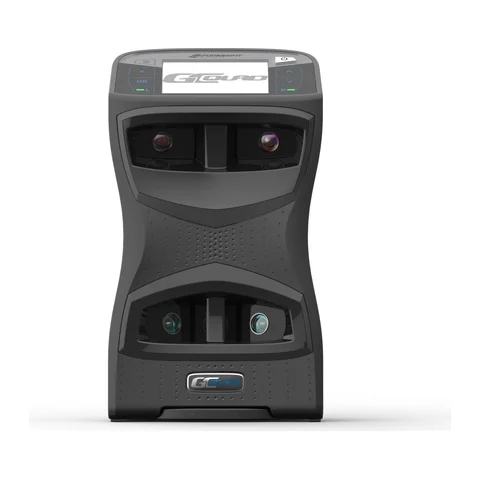
| Full Swing KIT | Launch monitor | 32 to 104 °F (0 to 40 °C) |
| Square Golf Home Edition | Launch monitor | 32 to 104 °F (0 to 40 °C) |
| Foresight Falcon | Launch monitor | 35 to 115 °F (2 to 46 °C) |
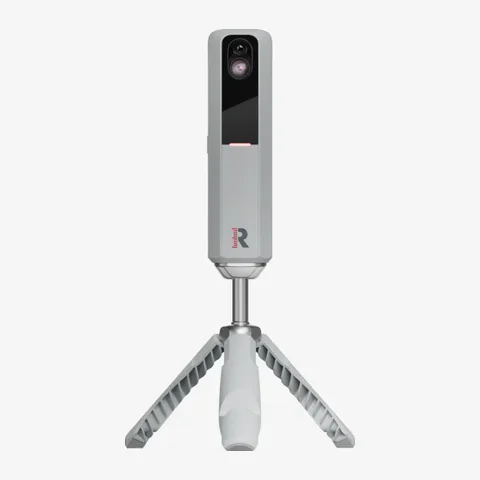
| Rapsodo MLM2PRO | Launch monitor | 41 to 122 °F (5 to 50 °C) |
| BenQ AH500ST | Projector | 32 to 104 °F (0 to 40 °C) |
| BenQ LK936ST | Projector | 32 to 104 °F (0 to 40 °C) |
| BenQ TK710STi | Projector | 32 to 104 °F (0 to 40 °C) |
| Epson PowerLite L695SE | Projector | 32 to 113 °F (0 to 45 °C) |
| Optoma GT2000HDR | Projector | 32 to 104 °F (0 to 40 °C) |
| Optoma UHZ35ST | Projector | 32 to 104 °F (0 to 40 °C) |
How owners heat a garage for a simulator
Heating is what garage owners discuss most, and they start with the door. In the threads, 23 owners say foam panels in the door sections, new door seals, and insulation in the walls or ceiling are what made heating practical, and four owners report large bills from electric heat in a garage that leaks air.
Owners who play through winter use four kinds of heat, listed by how many use each:
- Electric heaters: space, infrared or 240-volt shop heaters, switched on 20 minutes to 2 hours before playing; 23 owners use them. Large electric heaters and mini-splits need a 240-volt circuit, and five owners used an existing EV charger circuit or 240-volt outlet, or ran a new line from the panel.
- Propane, kerosene or diesel heaters: 18 owners use one and say these heat fastest. Burning fuel gives off carbon monoxide, and most owners who mention it keep a carbon monoxide detector in the garage; six owners report smells or fumes, especially when the heater is switched off.
- Mini-split heat pumps: these heat and cool, and 15 owners use one. Cold-climate models kept spaces at about 50 to 60 °F (10 to 16 °C) with 5 °F (-15 °C) to -20 °F (-29 °C) outside, and one owner's standard unit blew cold air at or below freezing.
- Vented gas heaters or house heat: a ceiling or through-wall gas heater, a boiler or radiant floor heat, used by 12 owners with a gas line. Some keep the garage at 40 to 50 °F (4 to 10 °C) all the time.
Even with heat, seven owners say heaters fall behind in severe cold and the concrete floor stays cold, and eight owners play in layers or stop in the coldest months.