
Square Golf Home Edition vs Square Golf Omni
The Square Golf Home Edition and Omni both sit beside the ball, photograph the ball at impact, and show every number in a free app with no subscription. The Omni reads spin from the golf balls you already play and also works outdoors. The Home Edition costs hundreds of dollars less but reads spin off the ball only with marked balls, such as the dotted balls in its box, and stays indoors.

We earn a commission when you buy through retailer links on this page. How we make money
Which to pick
Pick the Home Edition if
- you want to save hundreds of dollars
- you practice indoors, in a room you can keep out of direct sunlight
- you'll switch to the dotted balls when you want spin read off the ball instead of estimated
- you want longer battery life
Pick the Omni if
- you want spin measured with the golf balls you already play
- you want to see your club speed and where you strike the clubface
- you practice outdoors as well as indoors
- you want a larger area to set the ball down in, so you spend less time placing each ball
$1,599
Buy at Square GolfSquare Golf Home Edition
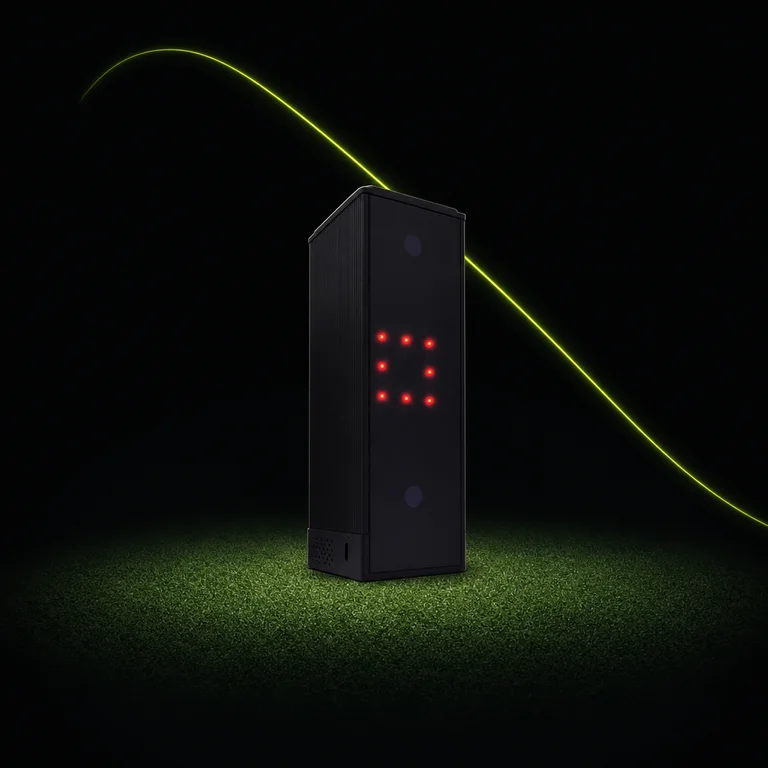
- Technology
- High-speed camera that photographs the ball and club at impact
- Placement
- Beside the ball, facing you
- Battery
- 8 hours
- Where to use
- Indoors only
- Membership
- None
Why it shines
With the dotted balls in the box, the Home Edition measures backspin and sidespin, which together set the spin axis (the tilt of the spin that curves the ball left or right). With the included sticker on the club shaft, the Home Edition also measures club path (the direction the club travels through impact) and attack angle (whether the club is moving down or up at impact), and calculates face angle (where the clubface points at impact), meaning the Home Edition estimates face angle instead of measuring it directly. All of these show in the free Square Golf app.
The Home Edition reads the ball speed of putts and has a putting practice mode, and a free Square Golf connector links the Home Edition to the GSPro simulator program on Windows.
The Home Edition and Omni sit beside the ball, so the room needs no space behind you for the unit. For more launch monitors that suit a room with limited depth, see the best launch monitors for a garage or room with limited depth.
What owners say
Owners on Golf Simulator Forum and in retailer customer reviews praise the putting and chipping practice. The most common complaint there is that owners dislike the dotted balls in the box, and several switch to TaylorMade TP5 Pix balls, which they say the Square Golf app accepts in place of the dotted balls. On Reddit, 7 owners say sunlight or bright light stops the Home Edition reading the ball, so they close blinds or cover windows.
Worth noting
With regular golf balls, the Home Edition calculates backspin, meaning the Home Edition estimates backspin instead of reading it off the ball. With regular golf balls the Home Edition calculates sidespin when the club sticker is on the shaft and shows no sidespin without the sticker.
Square Golf Omni
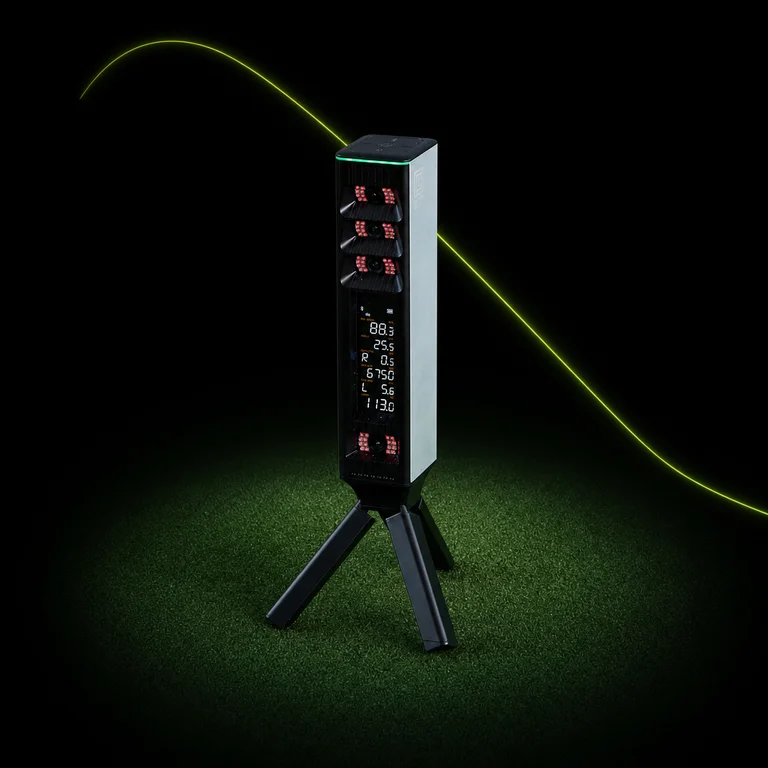
- Technology
- Four high-speed cameras that photograph the ball and club at impact
- Placement
- Beside the ball on the included stand, facing you
- Battery
- 6 hours (the manual says 5 to 7)
- Water resistance
- IP44, splash resistant
- Membership
- None
$1,599
Buy at Square GolfWhy it shines
The Omni's four cameras measure backspin and sidespin with regular golf balls, so you can practice with the ball you play. Square Golf says extremely bright, dark, matte or heavily patterned balls may reduce tracking accuracy.
The Omni reads more as you add the included stickers:
- No sticker: ball speed, launch angle, backspin and sidespin, measured.
- Sticker on the shaft: adds club path and attack angle, measured, and face angle, calculated.
- Second sticker on the clubface: adds club speed, impact location (the spot on the clubface where you struck the ball) and smash factor (ball speed divided by club speed, which golfers use to judge how cleanly they struck the ball), all measured.
The ball can sit anywhere in a 25 by 25 cm (about 10 by 10 inches) area, compared with 15 by 15 cm (about 6 by 6 inches) for the Home Edition. A screen on the unit shows ball data and carry distance without a phone or tablet. Square Golf says the Omni works indoors and outdoors, including on grass.
What owners say
Owners in retailer customer reviews say the Omni is quick to set up, and many single out the club data, especially impact location. The most common complaint is that the Square Golf app is glitchy or limited, and several owners say the club stickers peel off.
Worth noting
The Omni's IP44 rating covers splashes only, and Square Golf says not to use the Omni in rain or with the cameras facing the sun.
$1,599
Buy at Square Golf| Home Edition | Omni | |
|---|---|---|
| GSPro | GSPro license and the free Square Golf connector | GSPro license |
| E6 Connect | E6 license | E6 license |
| Awesome Golf | Awesome Golf license | Awesome Golf license |
| Maker's own courses | Square Golf app, with no membership | Square Golf app, with no membership |
| Home Edition | Omni | |
|---|---|---|
| Backspin | Calculated | Measured |
| Sidespin | Calculated | Measured |
| Descent angle | Not supported | Calculated |
| Club speed | Not supported | Measured |
| Smash factor | Not supported | Measured |
| Impact location | Not supported | Measured |
| Ball speed | Measured | Measured |
| Launch angle | Measured | Measured |
| Launch direction | Measured | Measured |
| Carry distance | Calculated | Calculated |
| Club path | Measured | Measured |
| Attack angle | Measured | Measured |
| Face angle | Calculated | Calculated |
| Putting mode | Yes | Yes |
- Measured
- Calculated
- Not supported
Indoors, with regular golf balls and the club stickers on.